# 🎵 Windows Spotify Taskbar



> Een lichtgewicht Python utility die je huidige Spotify-status direct in de Windows taskbar toont via een transparante overlay.
### 🎬 Showcase
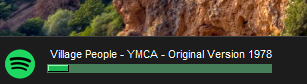
Example of the app showing my current track:
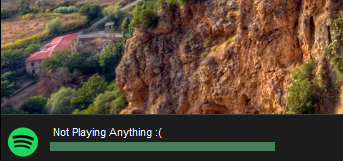
Example of the app showing im not playing anything :
### ⚡ Highlights
* **Real-time Sync:** Communiceert direct met de Spotify Web API voor live updates.
* **Smart UI:** Maakt gebruik van Tkinter met `overrideredirect` voor een naadloze "overlay" ervaring.
* **Resource Friendly:** Minimaal CPU verbruik door geoptimaliseerde fetch-intervals.
### ⚙️ Installatie
1. Maak een app aan op het [Spotify Developer Dashboard](https://developer.spotify.com/).
2. Vul je `client_id` en `client_secret` in de `config.json`.
3. Installeer benodigdheden:
```bash
pip install spotipy pillow
```
4. Start de app
```bash
python main.py
```